
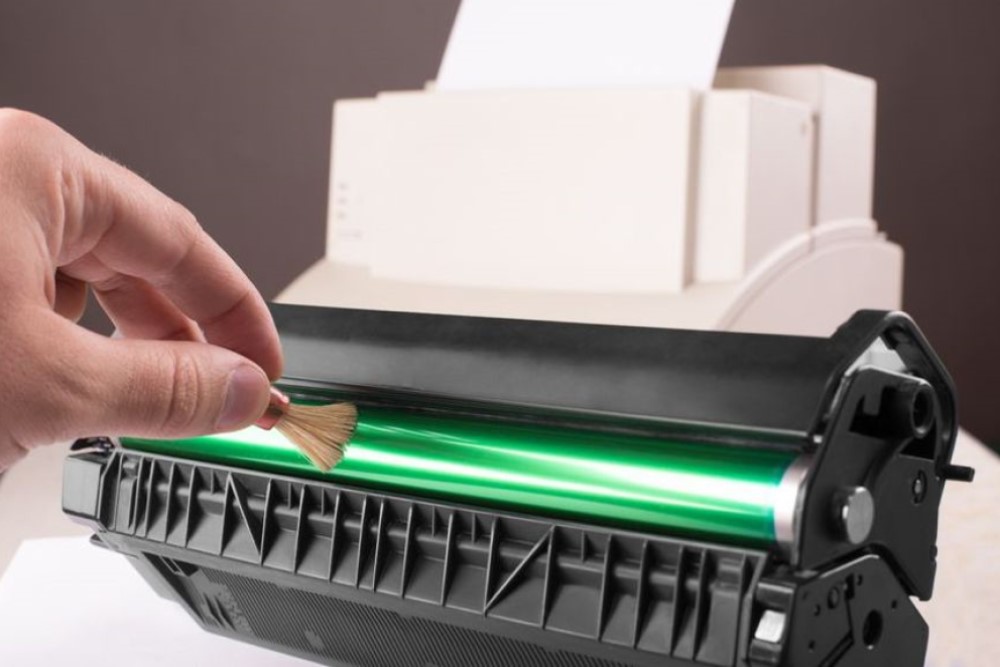
All supplies can be found at any hardware store.
1. Latex gloves. Latex gloves will keep your hands clean throughout the cleaning process.
2. Toner vacuum. Toner vacuums are specially designed to clean toner cartridges and are equipped with filters that are able to catch fine toner particles. Toner vacuum cleaners range from £1,000 to £2,000, but are essential for proper toner cartridge cleaning. Never try to use an ordinary vacuum cleaner when cleaning toner cartridges, as there is a risk of blowing toner into the air.
3. Activated toner cloth. An activated toner cloth is a special disposable cloth that attracts and traps toner particles. The activated toner cloth collects everything that the toner vacuum leaves behind. Such a cloth should be used once and discarded.
4. Duster with isopropyl alcohol. Never use rubbing alcohol. Cleaning formulas are used to clean CDs, tape drives, etc. They contain 99% isopropyl and are good to use.
5 Mask. You want to fully protect yourself from toner particles entering the throat and lungs, which can cause respiratory irritation. Toner inhalation is not known to cause deaths, but why risk it – always wear a mask when cleaning toner cartridges.
6. Brush. Never use a toothbrush because the bristles are too hard and too short. You need to use a small brush, about a centimeter wide, with soft bristles.
7. Cotton balls. Ordinary cotton balls are fine.
Cleaning the laser printer
1. Turn off the laser printer for an hour before cleaning. The printer needs to cool down to avoid electrocuting you.
2. Put on a mask and gloves and take the necessary things described above. It’s time to clean the laser printer and toner cartridges.
3. Open the laser printer. Refer to the printer’s instruction manual for the best way to open the laser printer.
4. Remove the removable components. This includes the toner cartridge, toner container and drum. Do not touch the surface of the drum and place it in a light-free place.
5. Wipe the toner cartridges with an activated cloth. Remove excess toner by placing the toner cartridge on a second activated cloth.
6. Place the toner vacuum in the printer housing. Use the toner vacuum to slowly remove the spilled toner from the inner part. Make sure that the toner vacuum does not touch any internal surfaces inside the printer.
7. Clean hard-to-reach areas with a brush. Remove all the toner in the crevices, and then use the toner vacuum to remove any remaining dust or debris.
8. Clean the crown wires. Dip a cotton swab in isopropyl alcohol and gently wipe the wires with the cotton swab. Make sure not to miss the underside of the wires and change the cotton swab if necessary. Never press as the crown wires are fragile and expensive.
9. Wash the paper feed roller. Again dip the cotton swab in isopropyl and wipe the paper feed roll in a circular motion with the cotton swab to remove accumulated toner. Change the cotton swab if necessary.
10. Re-insert all components and close the printer.
11. Clean and disinfect the laser printer housing. Remove accumulated dust and dirt with an activated toner cloth and isopropyl alcohol.
12 Turn the printer back on and enjoy using it. You have successfully cleaned the laser printer and toner cartridges!

 Wojoweb